> ## Documentation Index
> Fetch the complete documentation index at: https://bruno-a6972042-mintlify-35e3fd5a.mintlify.site/llms.txt
> Use this file to discover all available pages before exploring further.
# gRPC Request
Bruno provides comprehensive support for gRPC requests, enabling you to test and interact with gRPC services directly from the interface. With Bruno's gRPC support, you can:
* **Add Proto files** for enhanced IntelliSense and method discovery
* **Use Server Reflection** as an alternative to Proto files for automatic method suggestions
* **Call server methods** with full parameter support and type validation
* **Test real-time streaming APIs** including unary, server streaming, client streaming, and bidirectional streaming
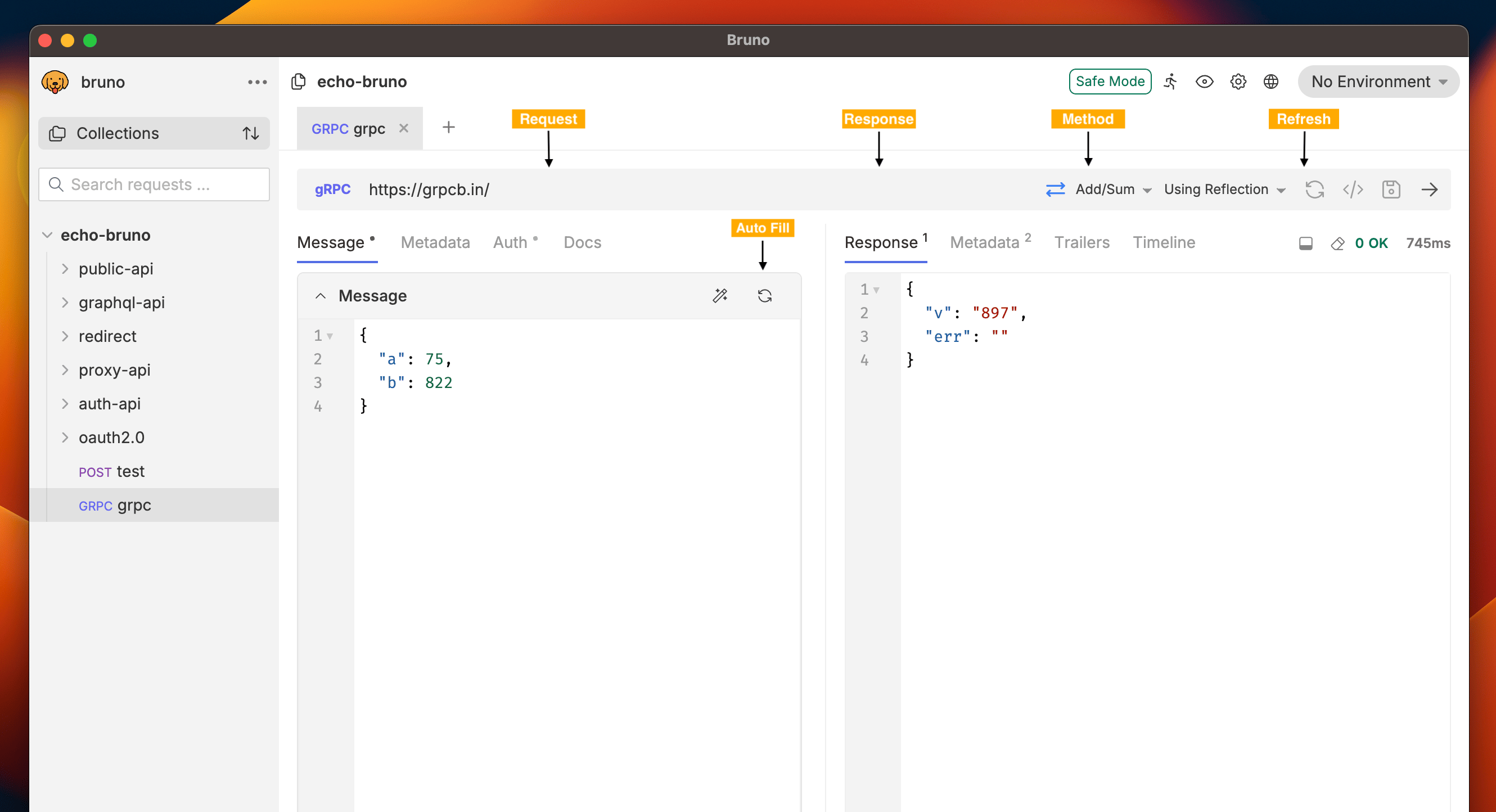
## gRPC Interface
Bruno gRPC interface provides an intuitive way to interact with gRPC services. The interface automatically adapts based on whether you're using Proto files or Server Reflection.
 ## Creating a gRPC Request
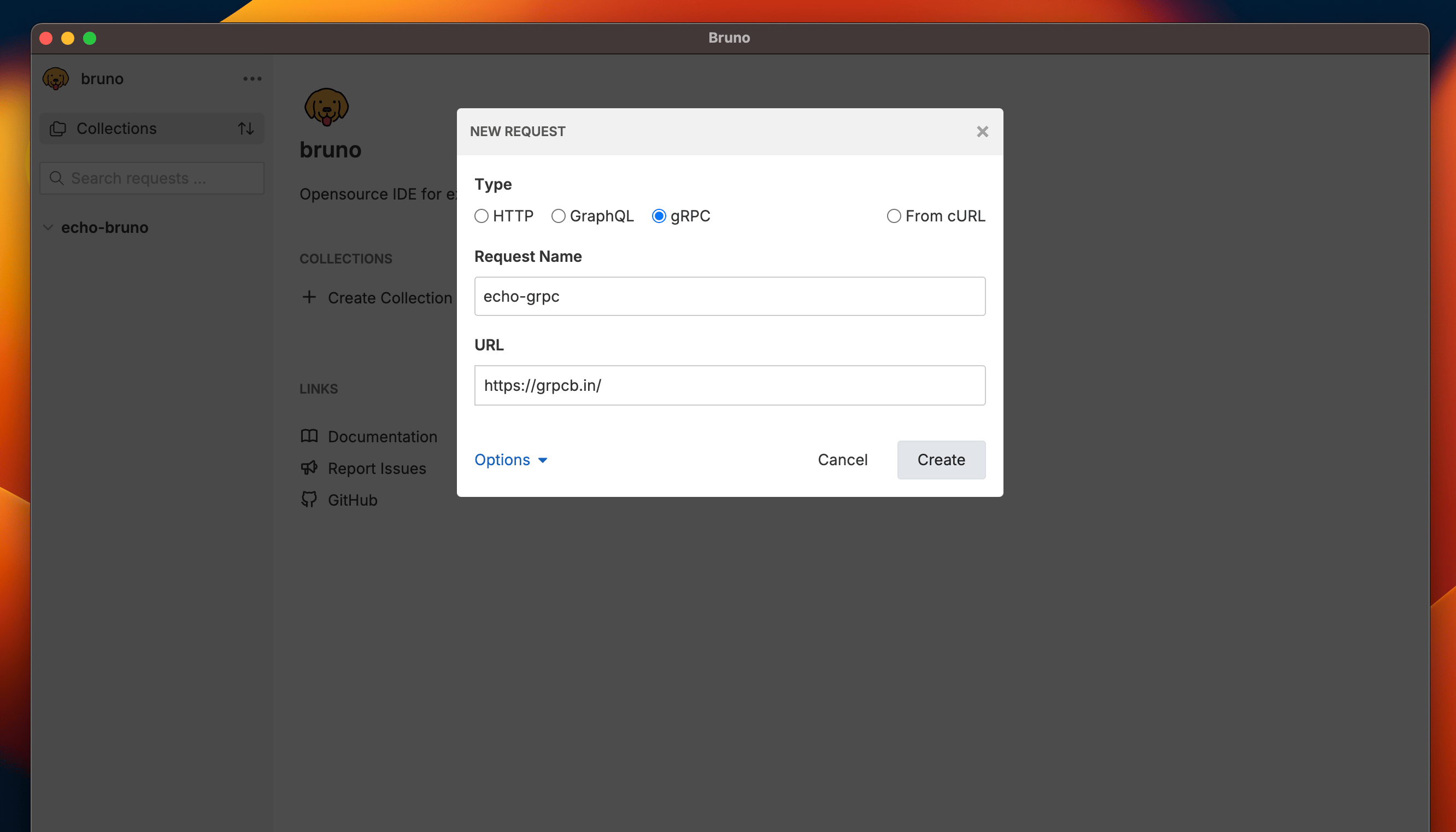
### Step 1: Create a gRPC Request
1. Open the collection context menu and select **New Request** from the dropdown
2. Select **gRPC** as your request type
3. Enter the **service endpoint** in the URL field (e.g., `https://grpcb.in/`)
## Creating a gRPC Request
### Step 1: Create a gRPC Request
1. Open the collection context menu and select **New Request** from the dropdown
2. Select **gRPC** as your request type
3. Enter the **service endpoint** in the URL field (e.g., `https://grpcb.in/`)
 ### Step 2: Configure the Request
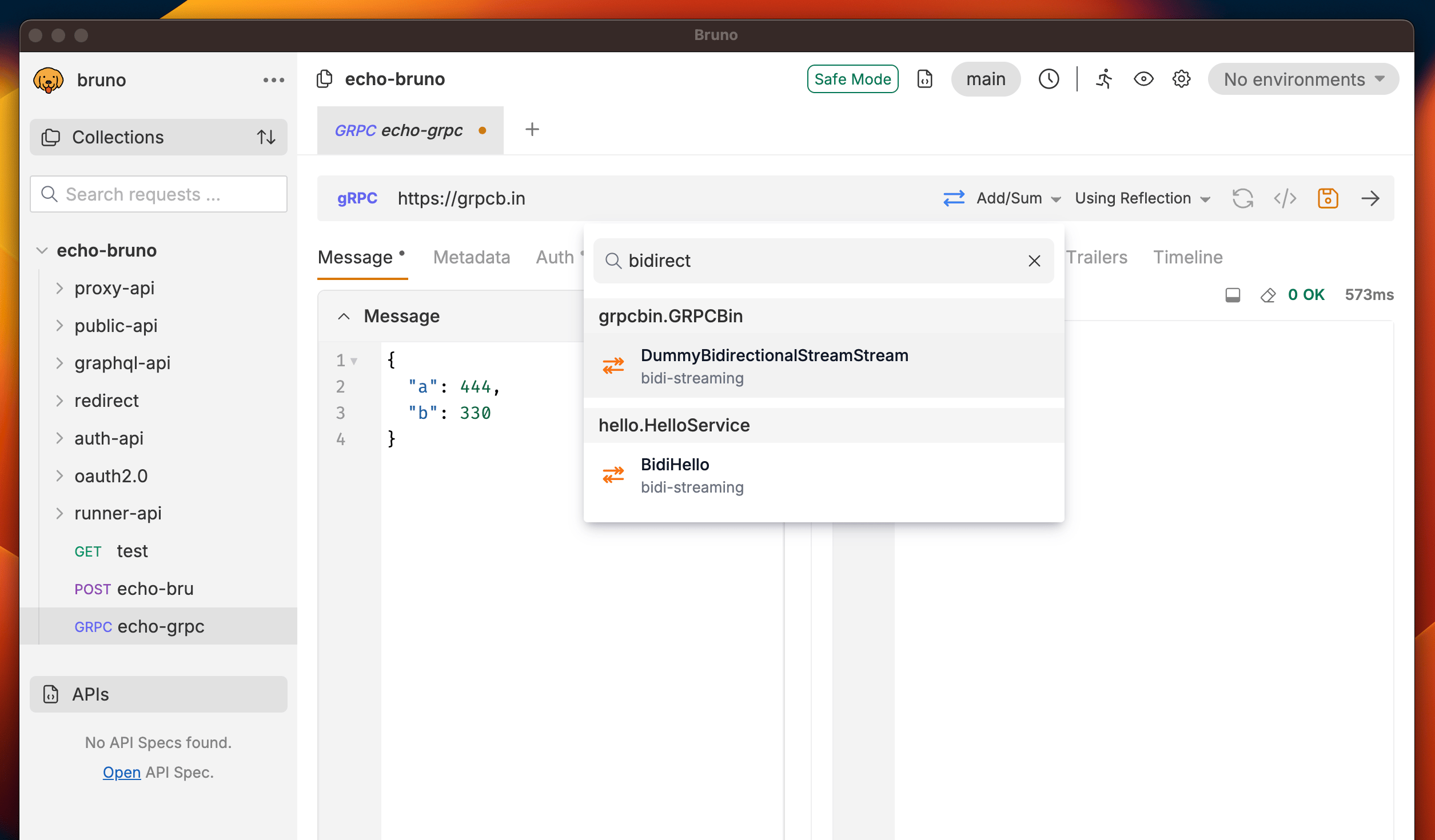
1. Click on **Reflection** and choose the **method** you want to call from the dropdown
**Refresh**: The gRPC refresh feature caches server information in memory for better performance. If you're running a local gRPC server and make changes to your service definitions, click the **Refresh** button next to the **Using Reflection** toggle to reload the latest changes from your server.
2. Use the **search functionality** in the dropdown to quickly find your desired method by typing the method name
### Step 2: Configure the Request
1. Click on **Reflection** and choose the **method** you want to call from the dropdown
**Refresh**: The gRPC refresh feature caches server information in memory for better performance. If you're running a local gRPC server and make changes to your service definitions, click the **Refresh** button next to the **Using Reflection** toggle to reload the latest changes from your server.
2. Use the **search functionality** in the dropdown to quickly find your desired method by typing the method name
 ### Step 3: Send the Request
1. Add any **required inputs** in the message section (auto generate with **Auto Fill** button)
2. Click the **Send** button to execute your gRPC request.
### Step 3: Send the Request
1. Add any **required inputs** in the message section (auto generate with **Auto Fill** button)
2. Click the **Send** button to execute your gRPC request.
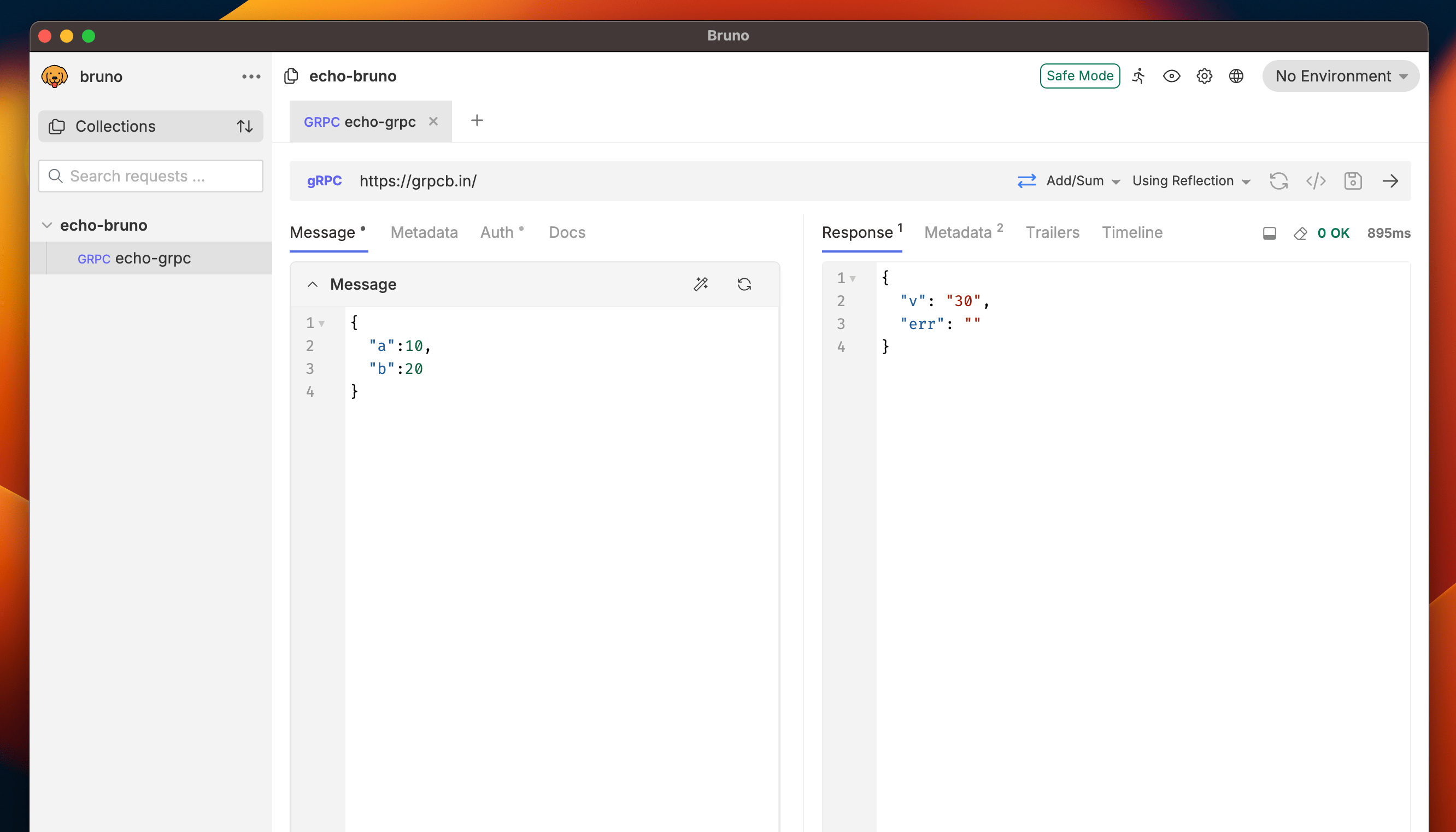 You'll see the response in the **Response** section with detailed information about the request execution.
To learn about proto files, navigate to the [Adding Proto file section.](./grpc-proto)
You'll see the response in the **Response** section with detailed information about the request execution.
To learn about proto files, navigate to the [Adding Proto file section.](./grpc-proto)