> ## Documentation Index
> Fetch the complete documentation index at: https://bruno-a6972042-mintlify-35e3fd5a.mintlify.site/llms.txt
> Use this file to discover all available pages before exploring further.
# Configuring and Fetching secrets
Secrets in Bruno are environment-specific, so ensure you have a collection environment selected before proceeding.
1. Go to **Collection Settings** and navigate to the **Secrets** tab.
2. Select `Azure vault` as the provider.
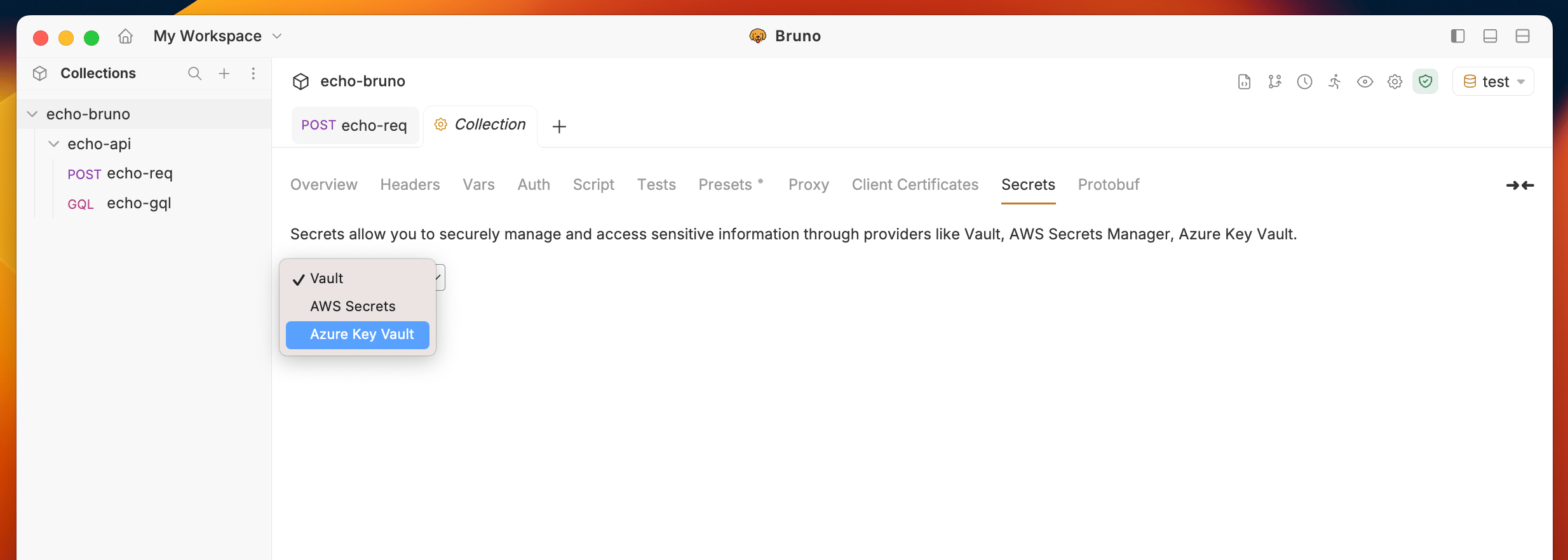 3. Choose an environment if not already selected. (Secrets are environment-specific)
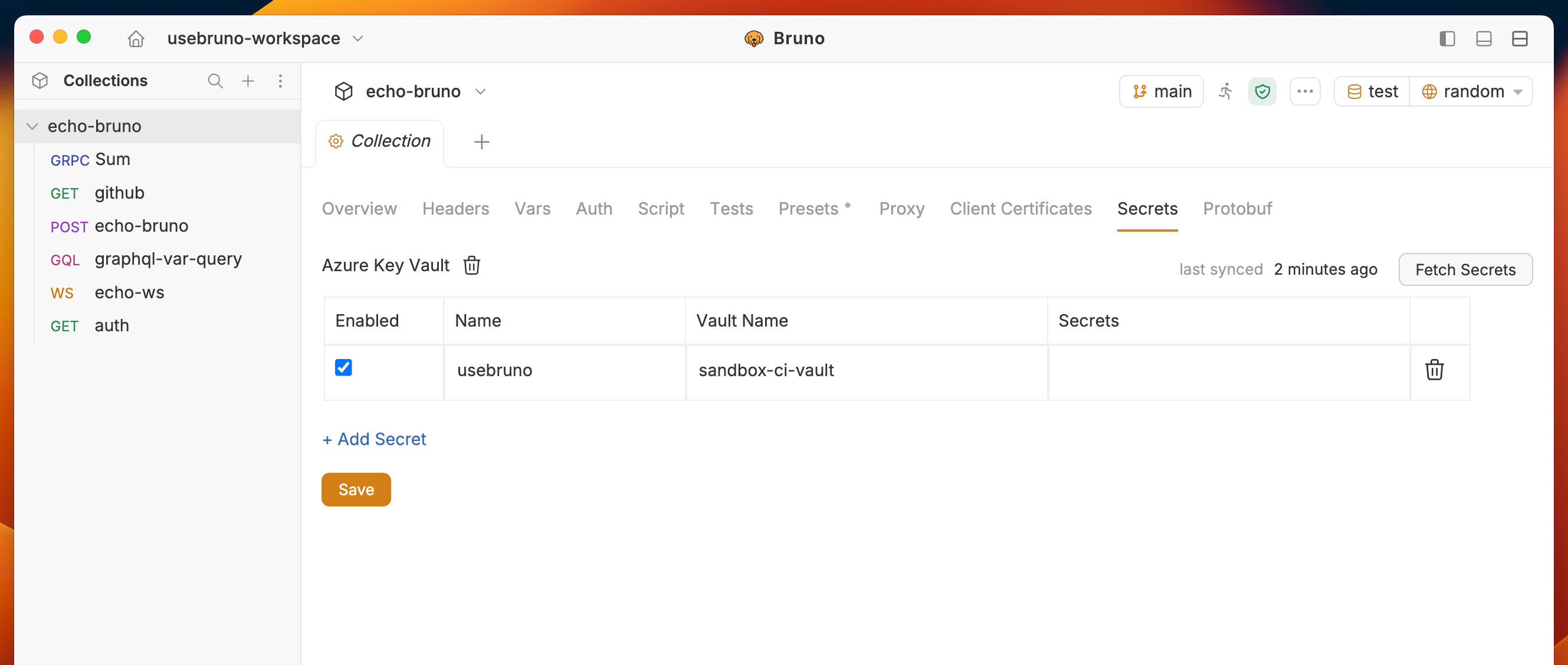
4. Add a new secret by clicking on the `+ Add Secret` button.
5. Provide a name for the secret and specify the Vault name.
3. Choose an environment if not already selected. (Secrets are environment-specific)
4. Add a new secret by clicking on the `+ Add Secret` button.
5. Provide a name for the secret and specify the Vault name.
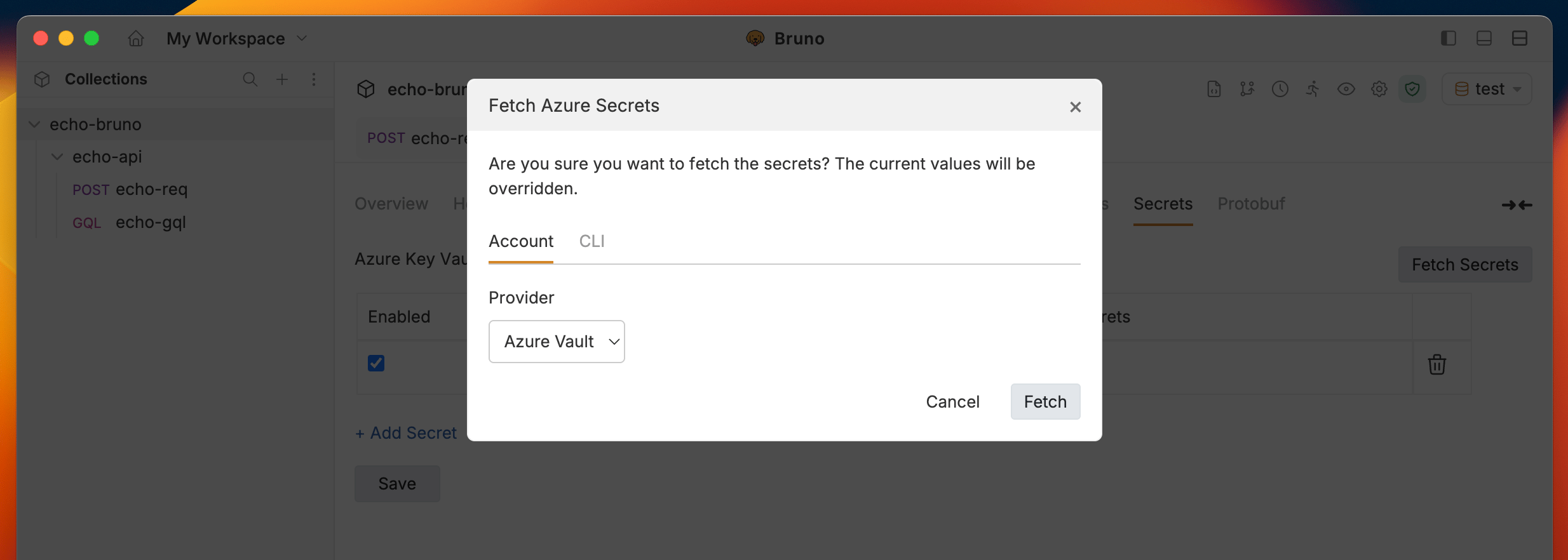
 6. Click on the `Fetch Secrets` button on the top right corner, choose one of the accounts, and click on the `Fetch` button.
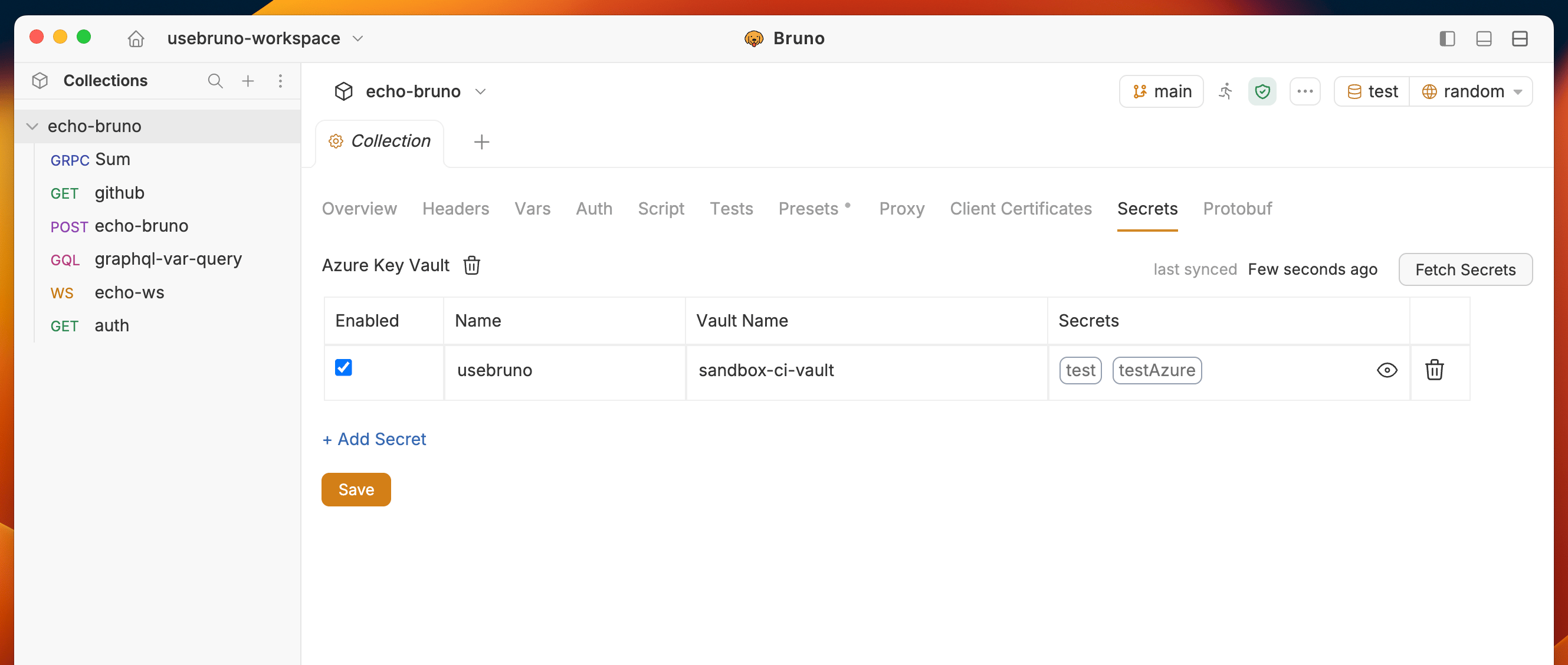
 7. The fetched secrets will be displayed in the table along with their names.