

- SharePoint
- Exchange
- Internal corporate APIs
NTLM in Bruno
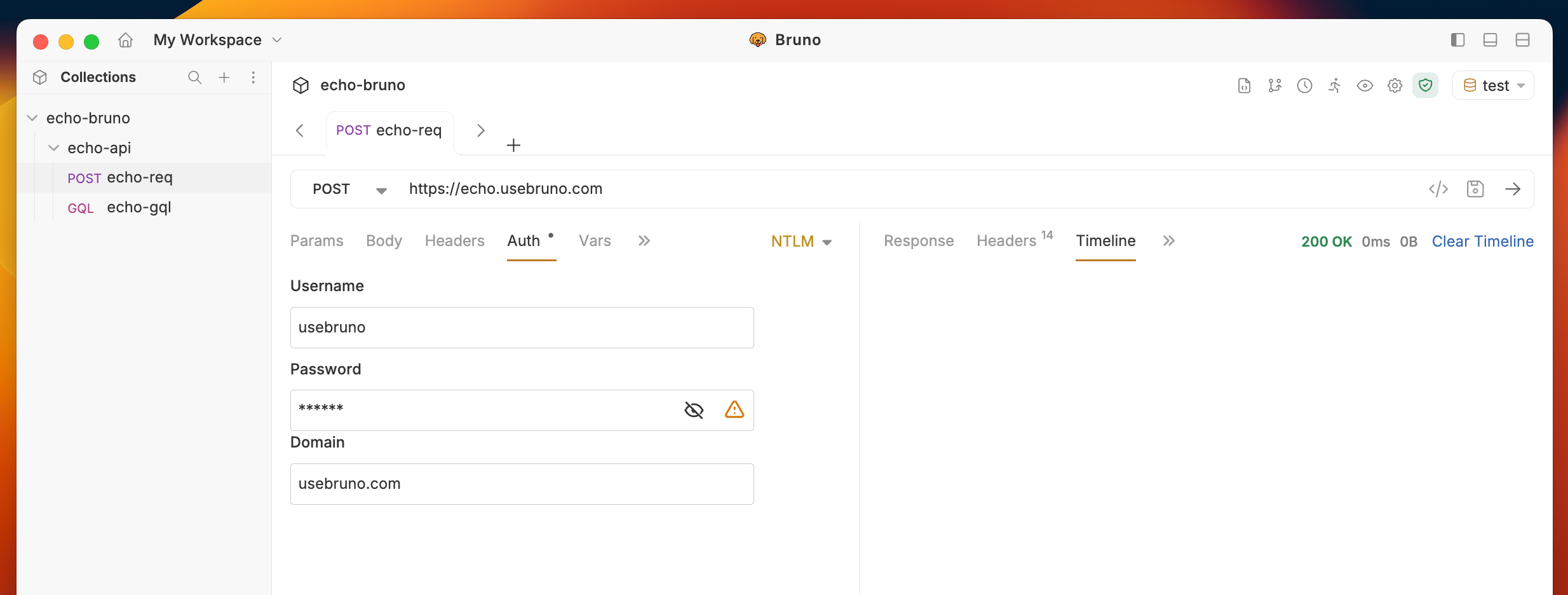
Follow these steps to use NTLM authentication:- Open your request
- Navigate to the Auth tab
- Select NTLM from the dropdown list
- Fill in the required fields:
- Username: Your Windows username
- Password: Your Windows password
- Domain: Your Windows domain name
How Bruno handles NTLM requests
NTLM requests run through Bruno’s standard request pipeline. Your TLS settings, custom CA certificates, client certificates, and proxy configuration all apply to NTLM requests, and the full handshake is visible in the Timeline tab. Because NTLM authenticates the connection rather than the individual request, Bruno keeps the entire handshake on a single connection.Redirect behavior
When a server redirects an NTLM-authenticated request:- Same origin: Bruno renegotiates the NTLM handshake on the new connection and follows the redirect.
- Different host: Bruno follows the redirect without authenticating, so the response is the target’s
401challenge. To renegotiate NTLM with the other host, enable the request’sforwardAuthorizationHeadersetting.